
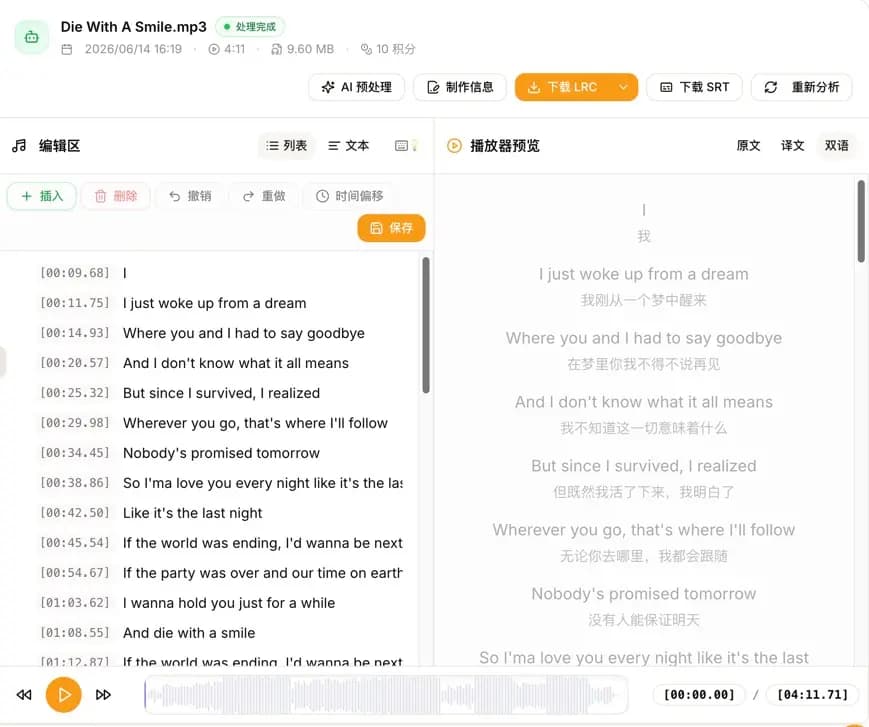
AI LRC Generator 1.3.0 is now available. This release focuses on lyrics translation and chorus labeling, making AI recognition results immediately useful for bilingual lyrics, songs with multiple vocalists, and subtitle production.
Producing publish-ready bilingual lyrics or lyrics for multiple vocalists used to require several manual steps after recognition: translating the text, aligning every line, and identifying each singer. Version 1.3.0 brings these steps into the AI Lyrics Recognition workflow. You can configure translation and chorus labeling when uploading audio or video, then review, edit, and export the result in the same workspace.
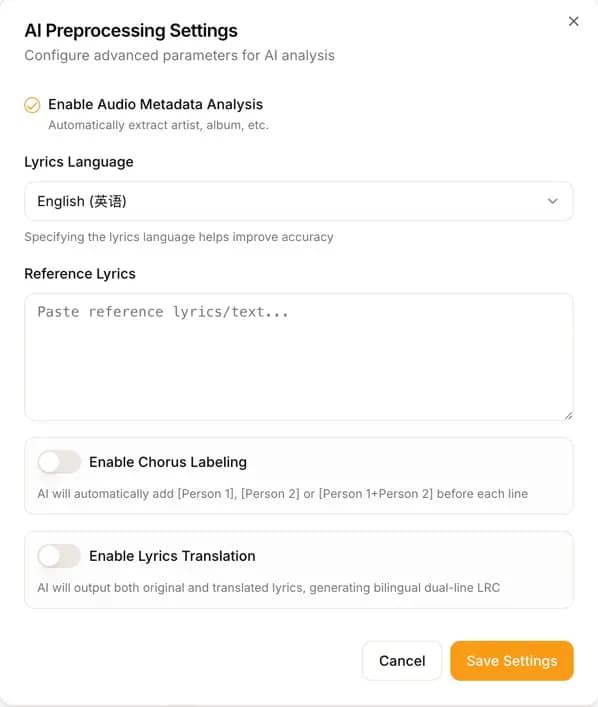
Lyrics Translation: Generate Bilingual LRC Files Directly
The new release adds a lyrics translation option to the AI recognition settings. When enabled, the system generates a translation alongside the original lyrics and writes both into the LRC file as paired original and translated lines.
This feature is useful when you need to:
- Create bilingual scrolling lyrics for songs in another language
- Prepare translated text for music videos, subtitles, or cover songs
- Compare original and translated lyrics for language learning or research
- Generate consistent bilingual results while processing multiple songs
Batch uploads support the same translation settings, so you do not need to configure every file separately. Once generation is complete, you can still adjust the original lyrics, translation, and timeline in the editor.
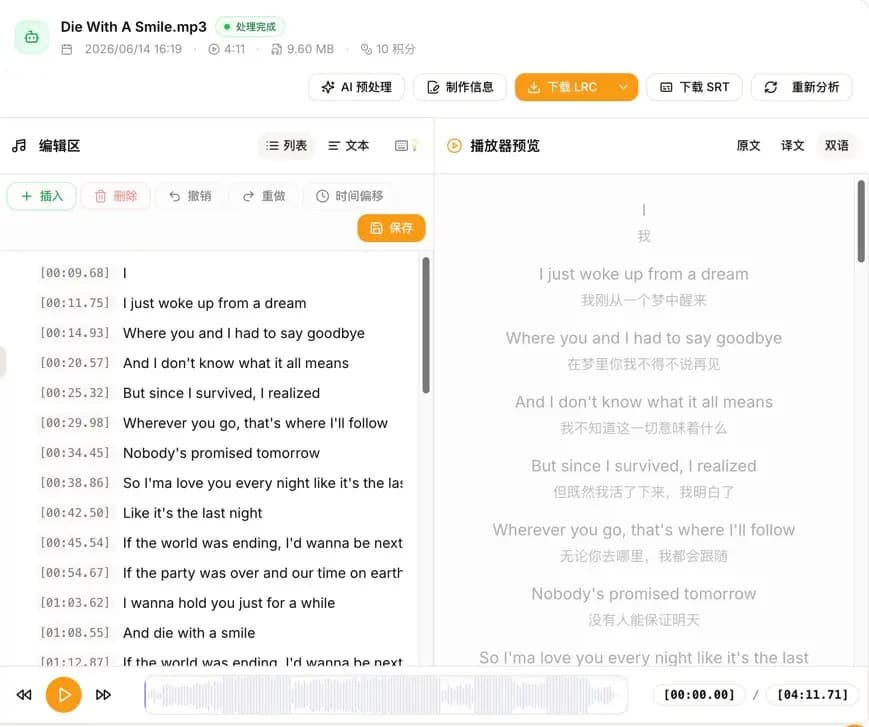
Chorus Labeling: Identify Vocalists and Group Sections
For duets, groups, and other songs with multiple singers, lyrics and timestamps alone are not enough. Version 1.3.0 adds chorus and vocal part labels. AI can identify different vocalists and add the corresponding labels before each lyric line, for example:
[00:12.40][Singer 1]First lyric line
[00:16.85][Singer 2]Second lyric line
[00:21.10][Singer 1+Singer 2]Chorus lyric lineAfter recognition, you can quickly replace the default names such as "Singer 1" and "Singer 2" with the performers' actual names. This preserves the speed of AI recognition while making it easy to complete a final review based on the song credits.
Chorus labeling is particularly useful for:
- Male-female duets and songs with multiple vocalists
- Virtual singers, music groups, and character songs
- Karaoke, cover assignments, and rehearsal lyrics
- Subtitles that need to distinguish rap, lead vocals, and backing vocals
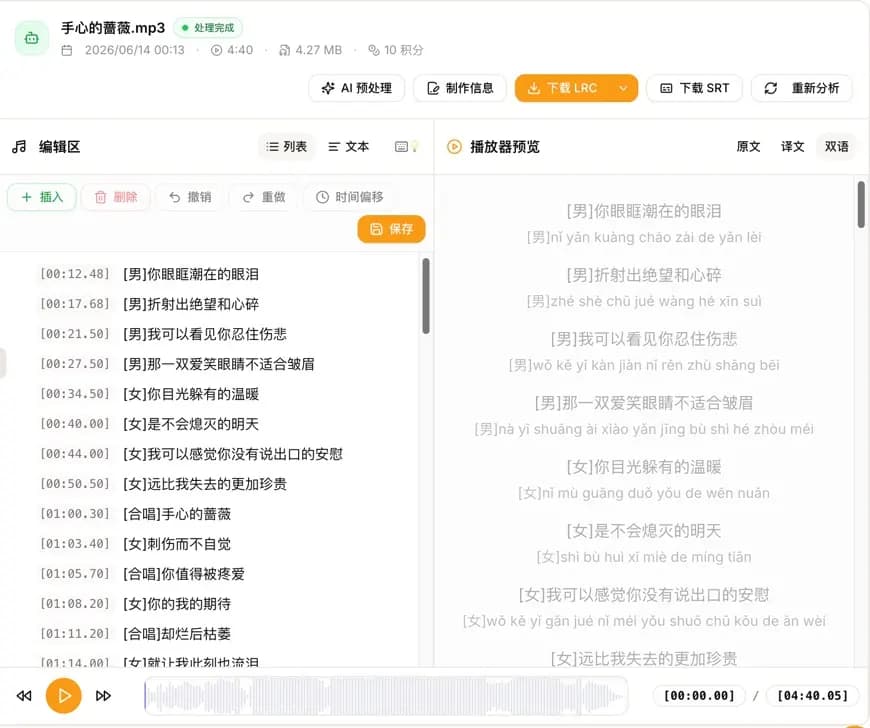
Use Lyrics Translation and Chorus Labeling Together
These features are even more useful when combined. For a song in another language with multiple vocalists, you can enable both lyrics translation and chorus labeling to generate a single result containing timestamps, vocalist information, original lyrics, and translated lyrics.
Here is the recommended workflow:
- Open AI Lyrics Recognition and upload an audio or video file.
- Enable lyrics translation in the recognition settings and select a target language.
- Enable chorus labeling and submit the task.
- Review the lyrics, translation, timeline, and vocalist labels in the workspace.
- Download an LRC file or export SRT subtitles, depending on your use case.
When downloading an LRC file, you can choose whether to keep or remove translations and chorus labels, or remove both. One recognition result can therefore support different players, subtitle tools, and publishing channels without processing the audio again.
From Audio Recognition to Video and Subtitle Workflows
Version 1.3.0 also connects lyrics recognition more directly with video subtitle workflows. AI recognition and manual editing now support common video file formats, extracting the audio track for lyrics processing. If you are working with a music video, live recording, or existing video asset, you no longer need another tool to export the audio first.
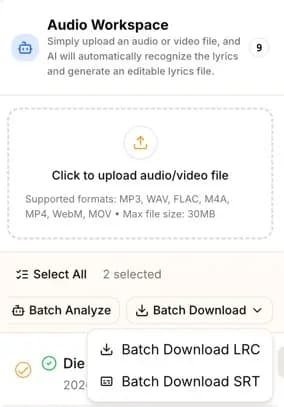
After recognition or editing, you can download SRT subtitles directly from the workspace. For batch conversion of existing LRC files, the LRC to SRT tool remains available.

New Parameters in the Open API
The Open API now supports the AI analysis capabilities introduced in this release. API clients can configure reference lyrics, lyrics language, translation source and target languages, chorus labeling, and related options through request parameters.
This release also increases file size, request rate, and task queue limits across different plans. Developers integrating lyrics recognition into content management, media processing, or batch production workflows can find the latest parameters and limits in the API documentation.
Workspace and Usability Improvements
Alongside the two core features, version 1.3.0 includes several usability improvements:
- Collapsible task sidebar: Free up more room for the editor when you want to focus on lyrics.
- AI lyrics generation experience: Improvements to the generation page, task history, failure states, and task feedback.
- WeChat Pay for premium plans: Purchase premium plans with WeChat Pay. Subscription plans are offered on a non-renewing basis.
- Improved feedback prompts: Better timing and frequency for feedback prompts, with credit rewards available when high-quality suggestions are adopted.
We also fixed an issue in Chrome on iPhone where MP3 and WAV files appeared disabled and could not be selected, and improved lyrics translation, LRC parsing, and timestamp millisecond handling.
Try AI LRC Generator 1.3.0
If you create bilingual lyrics, duet lyrics, music subtitles, or karaoke content, open AI Lyrics Recognition to complete recognition, translation, vocalist labeling, review, and export in a single task.
See the 1.3.0 changelog for the complete list of changes. We will continue improving translation quality, vocal part recognition, and the editing experience based on your feedback.